
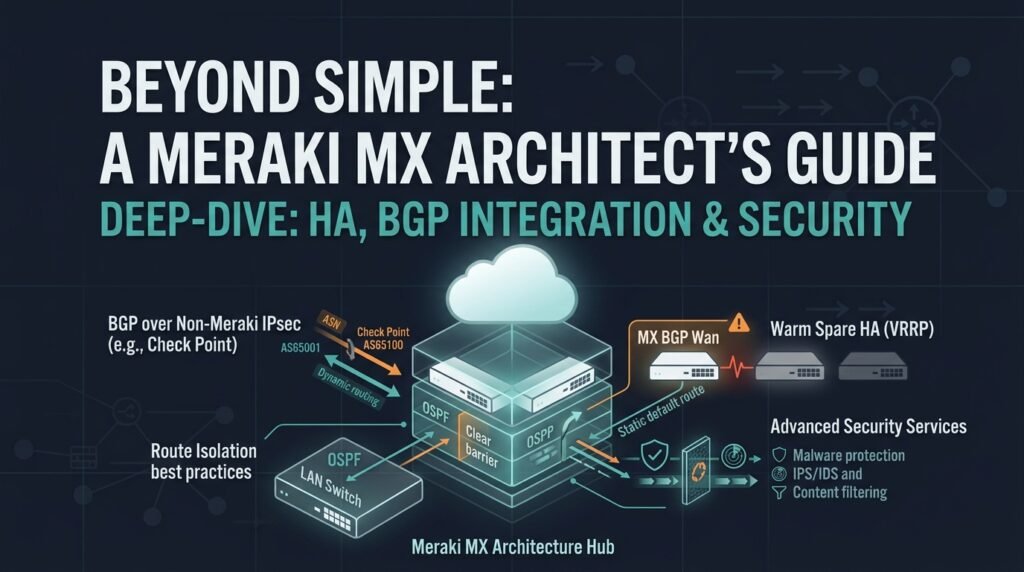
Lately, I’ve been reviewing Meraki products and exploring how we can integrate them into our existing network infrastructure. Let start with the MX, then cover MS and MR.
The platform in one view
Meraki is one cloud dashboard across six product families: MR access points, MS switches, MX security and SD-WAN appliances, Meraki Insight (application and WAN performance visibility), Systems Manager (endpoint management) and MV security cameras. The control plane lives in the cloud; the data plane stays on the box. If the cloud is unreachable, forwarding continues, but you cannot change configuration until it returns. Design for that distinction.
The MX appliance.
MX combines next-generation firewall, intrusion prevention, malware protection, Geo-IP filtering, URL control, VPN, WAN load balancing and failover (including 3G/4G backup) in one box. Models scale from small branch to large campus edge on uniform firmware, and the license tier decides which security features are active.
Enterprise license: stateful firewall, site-to-site VPN, SD-WAN and HA, application control, traffic shaping and client VPN.
Advanced Security license: everything above, plus content filtering, Cisco AMP malware protection, Sourcefire-based IDS/IPS and related security services.
In terms of design, the question isn’t which model to choose, but rather, how much control do I need at the perimeter or the edge?
a. BGP: good but tin on policy/control?
Use Case. A mid-size company runs two MX concentrators in the data center, each peering eBGP with the upstream WAN or MPLS provider, while 40 branch MXs build AutoVPN tunnels to those hubs. The hubs advertise branch prefixes to the provider network or core, and learn data center prefixes to pass down to the branches.
What works. eBGP neighbors, per-neighbor timers, AS prepending for basic inbound path steering, and advertisement of AutoVPN-learned subnets. Check your firmware release notes for iBGP support, which has been added in later releases and is required for some dual-hub designs.
Where it hurts.
- No community control. You cannot tag outbound routes with communities, nor match on inbound communities to set local preference. Most provider-driven traffic engineering (blackhole, backup-path, regional-preference communities) is therefore off the table at the MX.
- No route-maps. Policy is limited to what the dashboard exposes, mainly prepending and which subnets are advertised.
- No fine-grained attribute control. MED, local preference and weight manipulation are limited or absent.
- Not support BGP Confederations or standard customizable iBGP Route Reflector. Although, Meraki natively behaves like a Route Reflector within its own AutoVPN ecosystem.
If you want to design with control, I would not go with Meraki, but use MX – BGP where the requirement is simply “exchange prefixes with on or two peers”.
Cost. 3 Year Estimated TCO / Per Branch:
MX Series (MX75 / MX85) – $2,500 to $7,900
Catalyst 8000 Series (8200L / 8200) -$3,100 to $9,950
b. OSPF: a LAN-facing integration protocol
MX can run OSPF on the LAN side, which makes it easy to slot into an existing campus core. It is meant for adjacency with your distribution or core layer so the MX learns internal prefixes and advertises its own subnets and VPN-learned routes.
Limits. there is no per-interface policy depth, and you should not expect route summarization or filtering at the level you would configure on IOS XE. Treat OSPF on the MX as a clean handoff, and keep your area design on the devices built for it.
c. IPsec: two very different VPNs
MX has two VPN personalities, and mixing them up causes most design mistakes.
- AutoVPN (Meraki to Meraki). Zero-touch, dashboard-driven hub-and-spoke or spoke-to-spoke through hubs. Keys, tunnels and routing are automated. This is where the MX shines.
- Non-Meraki site-to-site VPN. Configured by hand, policy-based (you define local and remote subnets, there is no route-based tunnel interface or VTI in the traditional sense), and limited in the IKE and cipher options you can pick. It works for connecting to a cloud gateway or a partner, but it is less flexible than a firewall you can script. Verify the IKE version and cipher support for your firmware before you commit.
Latest article, Cisco Meraki added official support for BGP routing over Non-Meraki IPsec VPN tunnels. This capability completely changes the traditional policy-based constraints when connecting to third-party firewalls like Check Point, Fortinet. link
d. Redistribution: it happens, but you don’t control it
That is fine for a simple edge and dangerous for a complicated one. A branch with two WAN paths, OSPF on the LAN and BGP at the hub can create unexpected route leakage because you cannot tag, filter or set metrics at the redistribution point. The mitigation is architectural: keep a single routing authority per boundary and avoid mutual redistribution between OSPF and BGP on the MX.
This is by using BGP purely on the WAN/VPN side, applying a static route to the LAN, and letting your Layer 3 core switches handle the internal OSPF.
5. Prefix filtering and route-maps
There are no prefix-lists and no route-maps on the MX. Filtering is indirect:
- Choose which subnets participate in AutoVPN.
- Choose which prefixes are advertised through BGP.
- Use a firewall or router upstream for anything else.
If your design needs conditional advertisement, prefix-length filtering or per-peer policy, place that logic on a Catalyst or router, not the MX.
6. NAT: practical, but not policy-driven
By default the MX performs PAT (NAT overload) of LAN clients behind each WAN uplink’s interface address. Beyond that you get:
- 1:1 NAT for mapping a public address to an internal host.
- 1:Many NAT for publishing multiple services on one public IP.
- Port forwarding for inbound DNAT to a specific host and port.
What you do not get is Cisco-style policy NAT: source-based or destination-based translation keyed to an ACL, twice-NAT, or per-flow SNAT pools. Overlapping-subnet merger scenarios, common after acquisitions, are the classic case where the MX runs out of options.
10.1.10.0/24 IP range for your main corporate office. Your company buys a smaller competitor, and you need to link their office to your network. To your horror, you find out their office also uses 10.1.10.0/24.- Enterprise Router: You configure Twice-NAT or Policy NAT. You tell the router: “When traffic from our 10.1.10.0 network goes to the acquired company, translate our source to 192.168.1.0. And when their traffic comes to us, translate their source to 192.168.2.0.”
- Meraki MX handles this: It can’t. Because the MX cannot perform complex Twice-NAT or Destination-based Policy NAT over its VPN architecture.
7. SD-WAN: the MX’s strongest advantage?
Meraki SD-WAN is built on AutoVPN plus policy:
- Dynamic path selection driven by measured loss, latency and jitter per uplink.
- Performance classes and custom policies per application or traffic type.
- Uplink preference and load balancing across WAN1, WAN2 and cellular.
- Warm spare HA(Passive/Standby) for the appliance itself.
For 10 to 200 sites with dual internet circuits, this replaces an MPLS bill with two broadband links and keeps voice and SaaS on the best path. Add Meraki Insight to see application-level performance and tell WAN problems from application problems.
The tradeoff is scale of control. You can steer traffic by application and performance but not with the fine-grained, stateful policy of a dedicated SD-WAN fabric such as Catalyst SD-WAN. Pick based on how complex your policy really is.
8. Firewall rules and management
MX firewall has layered rule sets: Layer 3 rules (source, destination, port, protocol), Layer 7 application rules, and per-client group policies. Rules evaluate top-down, there is an implicit allow at the bottom unless you change it, and logging is limited compared with a full firewall platform.
Practical habits that pay off:
- Flip the default to deny for inter-VLAN traffic and write explicit allows.
- Use group policies for role-based access instead of one huge rule list.
- Export logs to a syslog or SIEM, since dashboard history is short.
- Review rule order after every change, because top-down evaluation hides shadowed rules.
9. Templates: the real scalability feature
Configuration templates let you bind many networks to one template and manage VLANs, firewall rules, SSIDs and switch profiles once
The MS Appliance.
Zero-touch deployment (plug in, claim, configure), uniform templates across branches, one view of port, client and topology data, firmware handled from the dashboard, and per-port visibility without building a monitoring stack. Operating cost, including staff time, is often lower for distributed estates where nobody on site is a network engineer.
Limitations.
- Less routing depth. Expect static routing and OSPF at best on the access and distribution models, not full BGP or MPLS-style services.
- No traditional CLI for deep troubleshooting or automation scripts such as EEM. Packet capture and diagnostics exist in the dashboard but are narrower.
- QoS, multicast and Layer 2 feature breadth are smaller than a Catalyst 9000.
- Operational dependence on cloud connectivity for configuration changes.
MS at the access layer where simplicity and scale of management matter, and keep Catalyst in core or data center roles where feature depth matters. In a hybrid campus, that split is also the cleanest ownership boundary for teams.
a. Isolated ports and private-VLAN-style designs
a guest or hospitality network where devices on the same VLAN must reach the gateway but not each other, such as hotel rooms, dormitories, or IoT sensors in a shared VLAN. Port isolation on MS achieves this: isolated ports can talk to the uplink but not to other isolated ports. This reduces lateral movement and broadcast exposure without allocating a VLAN per tenant.
Be precise in the design document. This is port isolation, not a full PVLAN implementation with primary, community and isolated VLAN relationships. If your requirement is community groups that can talk within themselves but not outside, verify the exact feature on your switch model and firmware first.
The MR Appliance.
Captive portal. The splash page supports click-through, sign-on with credentials, and external authentication options, plus a walled garden so devices can reach identity providers before login. Use it for guests and visitors, and pair it with a guest VLAN that is firewalled from internal networks at the MX.
Securing the WLAN. Prefer WPA3 or WPA2 Enterprise with 802.1X for staff, per-user or per-device identity pre-shared keys where RADIUS is impractical (IoT), and group policies to apply firewall and bandwidth rules by identity rather than by SSID. Air Marshal gives you rogue AP detection and containment visibility.
Templates. SSIDs, RF profiles, firewall rules and splash settings can be pushed from the same configuration template as the MX and MS, which keeps wireless behavior identical across sites. The same warning applies: the template is a force multiplier for good and bad changes.
Design takeaways
- Meraki trades control for operations. Decide upfront which controls you can lose.
- Use MX for AutoVPN, SD-WAN and branch security. Put policy-heavy routing on a router or Catalyst.
- Do not design around communities, route-maps or policy NAT on the MX.
- Use MS at the access edge and Catalyst where feature depth matters.
- Templates are where the scalability lives. Govern them like code.
- Verify every feature against your firmware release notes, since Meraki ships capability changes quickly.
Reference(s):
- The platform of the Future – Cisco Meraki Training
- Meraki MX Technical Deep Dive – Fady NETDecorators